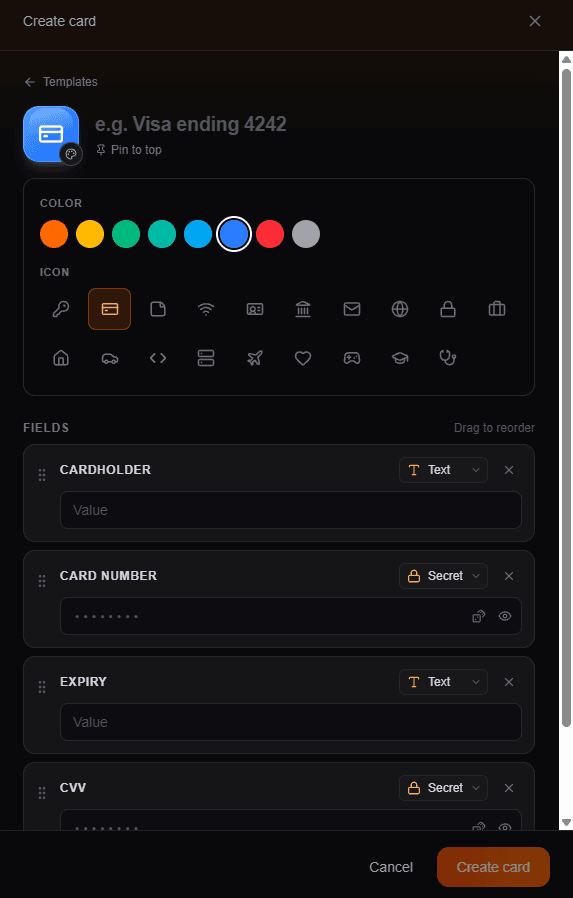
Pumpkins Vault is a home for the small, sensitive things that otherwise end up scattered around — logins, the Wi-Fi password, card details, recovery codes. Each one is a card: a title, an icon, a color, and a list of fields, some of them secret.
The challenge: build a vault where the server — and whoever runs it, including me — can't read what's inside, without making it painful to use.
Starting with the experience
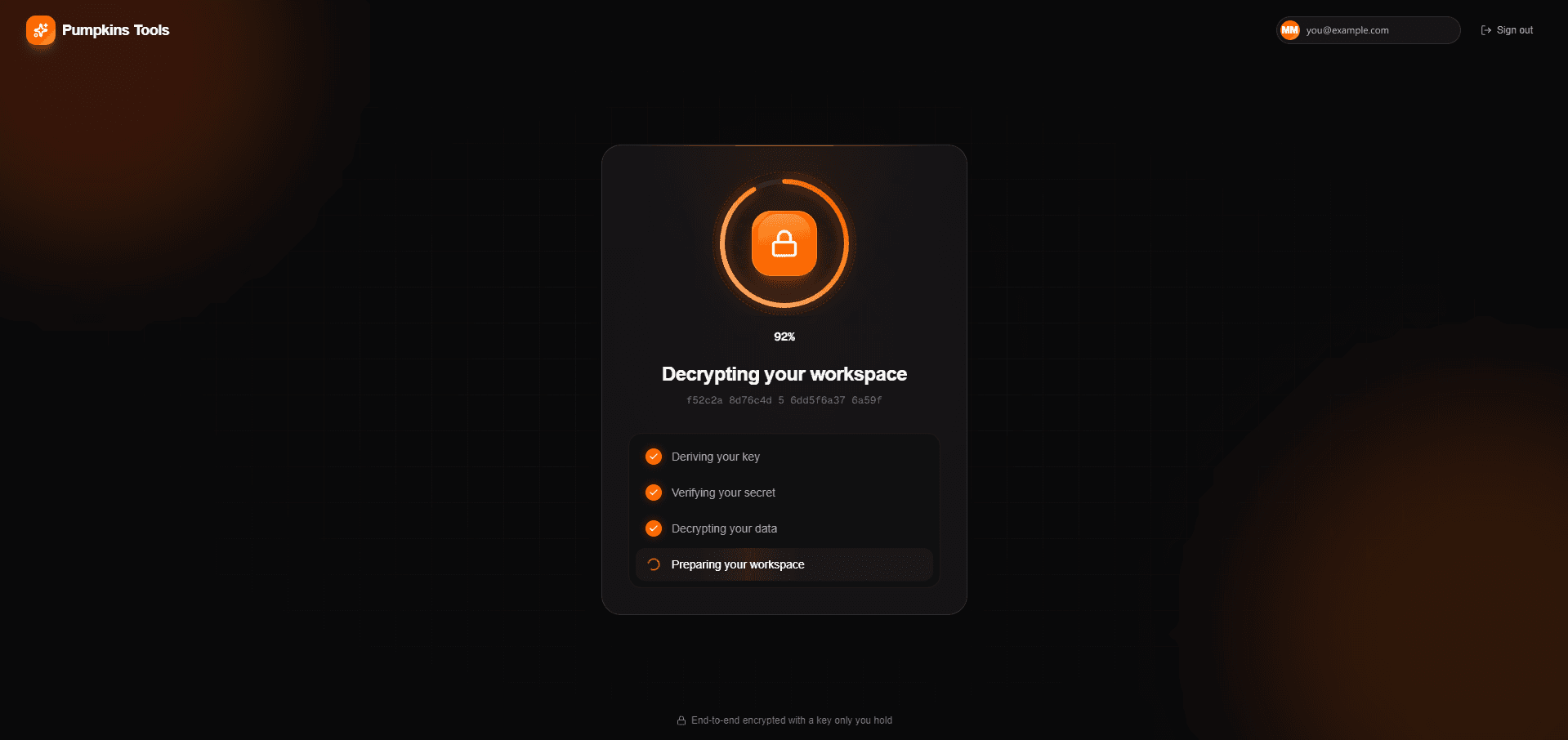
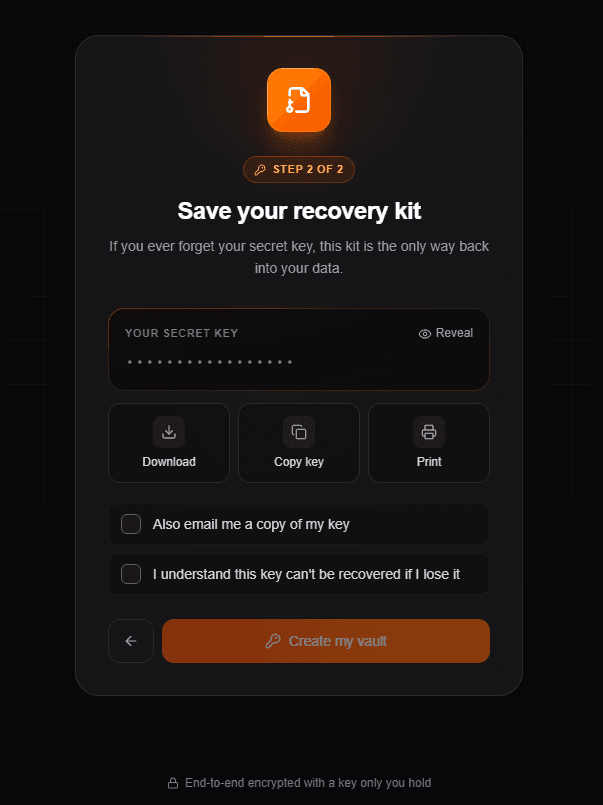
I built the flows before the cryptography. Creating a vault meant choosing a secret key, confirming it, then saving a recovery kit — download, copy or print — and ticking a box that says you understand it can't be recovered. Unlocking played a short sequence: "Deriving your key", "Verifying your secret", "Decrypting your data", "Preparing your workspace".
In that first version those steps were stand-ins — timers behind real-looking labels — and cards were saved to MongoDB as plain text, with a comment in the model saying so. The server only kept a flag that a vault existed; for Google and GitHub sign-ins, which have no user record to hang the flag on, it fell back to localStorage.
A lock screen over plain-text data isn't a vault. Anyone with database access — a leaked backup, a compromised host, or just me — could read every card. The UI was making a promise the backend didn't keep yet.
Moving the keys into the browser
The fix was simple to state: nothing that can decrypt a card should ever reach the server. Everything moved into the browser, built on the Web Crypto API with no third-party crypto library:
- Your secret key is stretched with PBKDF2-SHA256 — 600,000 iterations over a random salt — into a key-encryption key (KEK).
- A random 256-bit data key is generated and wrapped with the KEK using AES-GCM. Only the wrapped copy, the salt and the iteration count are stored.
- Each card — title, icon, color, pin state and every field — is serialized to JSON and sealed with AES-256-GCM under the data key, with a fresh random IV every time it's saved.
The unlock steps stopped being theatre, too. "Deriving your key" now actually runs PBKDF2, "Verifying your secret" unwraps the data key, and "Decrypting your data" decrypts every card.
V1 — a lock screen
- ·Unlock steps were timers
- ·Cards stored as plain text in MongoDB
- ·Vault flag on the user record, localStorage for OAuth sign-ins
- ·The server could read everything
V2 — real encryption
- ✓Each step does the real crypto work
- ✓Cards stored as an IV plus ciphertext, nothing else
- ✓One vault record per owner email, for every kind of sign-in
- ✓The server holds nothing it can decrypt
Why a data key, not just the secret
Encrypting cards directly with a key derived from the secret would have worked. Splitting it into two keys buys a few things. The slow derivation runs once per unlock, not once per card. The data key is unwrapped as non-extractable, so the browser can encrypt and decrypt with it but no script can read its bytes back out. And changing the secret later only means re-wrapping one small key, not re-encrypting every card.
It also gives wrong-key detection for free. No hash of the secret is stored anywhere to compare against — a wrong secret produces the wrong KEK, AES-GCM authentication fails while unwrapping, and the app says "That secret key isn't right." The wrapped key and the cards are also bound to different associated data (pumpkins:vault-key:v1 and pumpkins:card:v1), so one can't be passed off as the other.
A server that can't check what it stores
Once the server only sees ciphertext, it can't validate a card anymore — it has no idea whether a title is too long or a field type is real. So validation moved into the browser, right before encryption: titles up to 120 characters, up to 50 fields, 5,000 characters per value, and only known icons, colors and field types.
The server's job shrank to checking the envelope. The IV must be exactly 16 base64 characters, the ciphertext must be valid base64 under a size cap, and a wrapped data key must be exactly 64 characters — the 32-byte key plus its 16-byte GCM tag.
Existing plain-text cards weren't left behind. On the first unlock after the switch, the API hands them back flagged as legacy and the browser encrypts each one in place. Any card that fails to decrypt is counted and reported, rather than silently dropped.
The recovery problem
Real client-side encryption has a sharp edge: lose the secret key and nobody can help you, me included. So setup won't finish until you've acknowledged that, and the recovery kit — a small text file with your account, the date and the key — can be downloaded, copied, or printed from a hidden iframe so no popup blocker gets in the way.
Some people will still want the key in their inbox. That's allowed, but it's the one path where the secret leaves the device, so ticking the box opens a sheet that spells out the cost first: it sits in your inbox in plain text, your email account becomes the key, and it passes through my server and the email provider. And if that email can't be sent, the vault isn't created — someone who chose email as their backup shouldn't end up with a vault and no backup.
Small details that mattered
- Each unlock step stays on screen for at least 600 ms. The real work is often faster, and a sequence that flashes past reads as broken rather than fast.
- The unlocked key and the decrypted cards live only in memory. A refresh locks the vault again — slightly annoying, but nothing decrypted is ever written to storage.
- Search skips secret fields on purpose, so typing in the search box never matches against a password.
- Links in emails, like password resets, are built from a fixed
SITE_URL, never from the request's Host header. The app answers on more than one domain, and a forged Host header could otherwise put someone else's domain into a genuine reset email.
Where it landed
Pumpkins Vault is live at vault.pumpkins.dev. The database holds accounts, one wrapped key per vault, and a pile of ciphertext — enough to keep your cards in sync, and not enough for anyone, including me, to read them.
What I'd take from this
- Building the experience first was the right call, but only because the plain-text version was always meant to be temporary. A convincing lock screen is easy to mistake for security.
- Envelope encryption is worth it even in a small app: cheap unlocks, non-extractable keys, and room to change the secret later.
- Once the server can't read the data, validation has to live somewhere else. Decide where before you encrypt, not after.
- When a feature trades security for convenience, like emailing the key, make it opt-in and make the cost explicit at the moment of choosing.