Webnevisan needed an app to test every feature of a laptop before it shipped — including every physical port. But testing a port first requires knowing it exists and where it is, and that turned out to be the hard part. Every laptop is different, and the app needed to work on whatever model showed up.
The challenge: get a truthful, complete list of a specific laptop's ports and their positions — OS commands and system-information APIs weren't giving reliable answers, and this was for Webnevisan, so it had to actually hold up in production, not just on my test machine.
Attempt one: scrape the reviews
The app already had the laptop's system information — make, model, and the rest — from other parts of the testing flow. So the first plan was to use that: a Python + Selenium crawler that searched sites like NotebookCheck for the laptop's review, opened the listing, and looked for the connectivity section where reviewers photograph and describe every port.
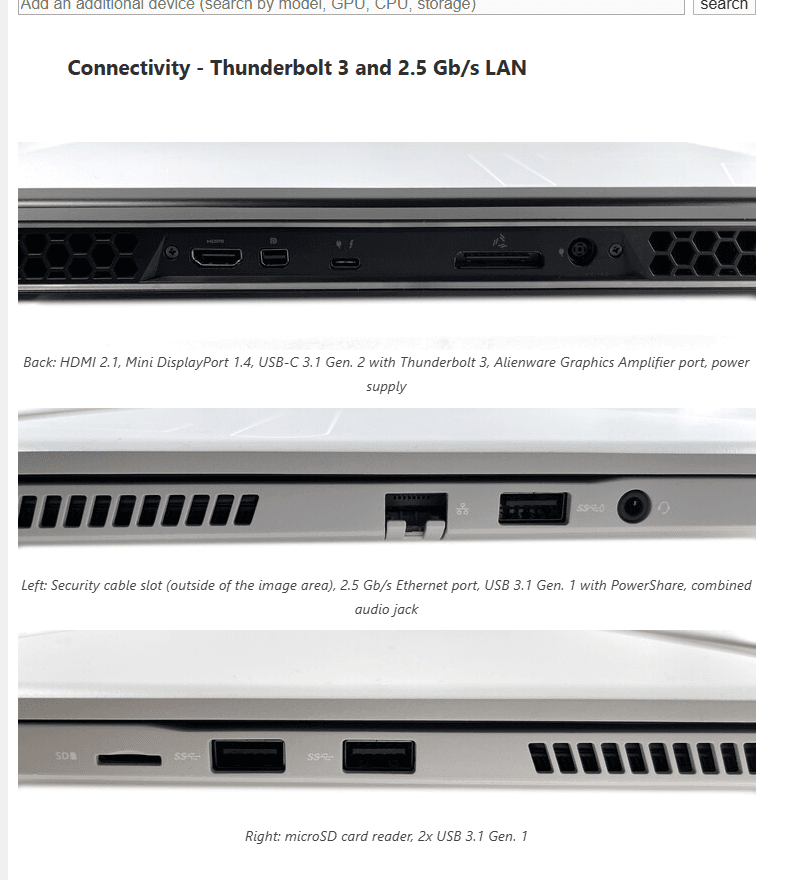
The problem was coverage. Plenty of laptops simply had no review on those sites. When they did, the write-up didn't always cover ports completely, and descriptions weren't consistent about which side something was on — enough to make the data incomplete or outright wrong for a chunk of models.
Attempt two: go straight to the manufacturer's manual
Next idea: skip third-party reviews and pull the user manual PDF straight from the manufacturer's own site, keyed off the laptop's serial number instead of make/model/CPU — serial lookup wasn't a problem at all.
The catch was that manufacturer sites are mostly client-side apps built around user interaction — clicking through a support flow — not static pages you can just fetch and parse like a review site. I built this as a FastAPI service driving Selenium, but Selenium had no good way to wait for those interactions. I couldn't know in advance how long a click would take to resolve, so the only option was fixed sleeps — and sleeping long enough to be safe made the API painfully slow.
I switched the crawler engine to an Express.js API built on Playwright. Playwright's built-in auto-waiting — waiting for the actual element or network event instead of a guessed delay — fixed the slowness outright. Once the manual PDF was found, a PDF reader pulled the ports section out of it, and a MySQL database cached the result, so a second API call for a different serial of the same model didn't repeat the whole crawl.
Blocked at scale
Caching cut down repeat work, but the raw number of requests hitting manufacturer sites was still high, and it ran straight into their bot defenses and region blocks. I moved the server to a US region and installed a full desktop environment so Playwright could run headed instead of headless — closer to a real user, harder to fingerprint as a bot.
That worked for a while. Then the same defenses caught up, and neither swapping DNS nor routing through a proxy held up without constant hands-on attention — more babysitting than the task justified.
Between the headed browser and the wait to see how it held up, this stage went through a lot of server configs — sizing CPU and RAM to run multiple headed Chromium instances without choking, tuning it up and down more than once trying to outlast the bot blockers.
Pivot: stop scraping, start seeing
At that point the scraping approach had a ceiling I couldn't infrastructure my way past. So I stopped asking websites for the answer and decided to read it directly from a photo instead: train a computer-vision model that looks at a few pictures of a laptop and detects the ports itself. Back to FastAPI, which is a much better fit for serving a model than for driving a browser.
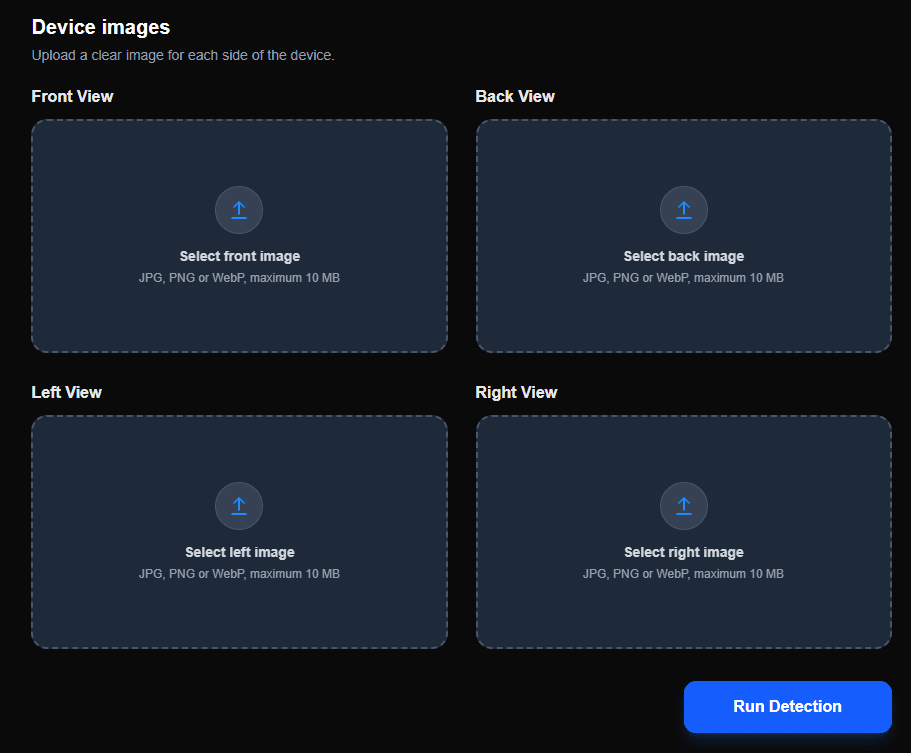
The plan: accept four photos of a laptop — front, back, left, right — run detection on each, and return a structured JSON of exactly what ports are where.
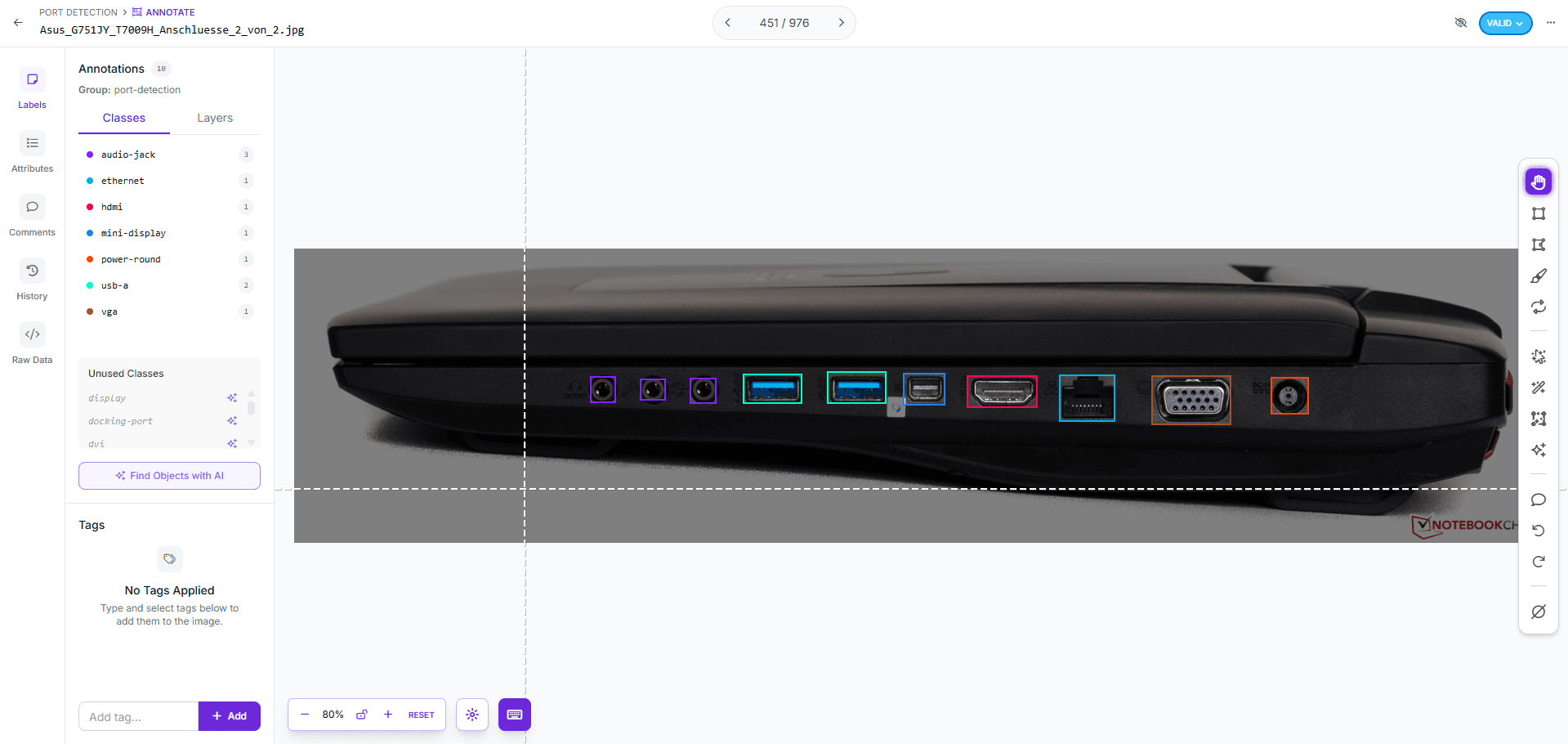
Building the dataset
I set the port classes I actually needed — things like USB-A, HDMI, Ethernet, audio jack, power, VGA, mini-DisplayPort — then spent a genuinely tedious amount of time searching for laptop port photos, well over a thousand of them, and labelled every one by hand in Roboflow.
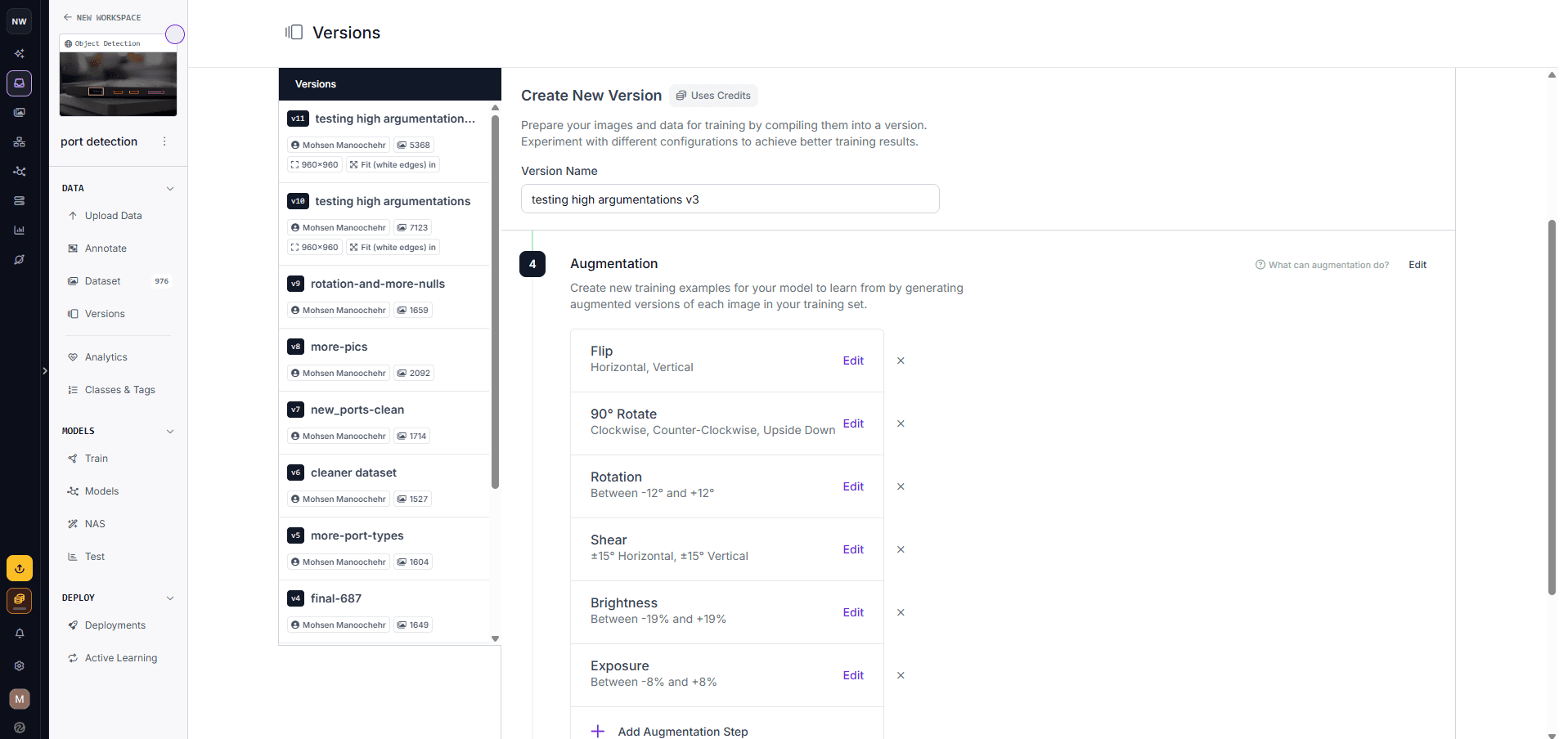
It took more than ten dataset versions to get there — cleaning the set, adding more images, adding classes I'd missed, and adding null images with no ports in them so the model learned what to ignore, not just what to find.
Training, breaking, retraining
- Tilted or rotated photos went undetected at first — fixed by adding rotation and shear augmentation instead of just throwing more raw images at it.
- False positives on plain laptop surfaces — fixed with null images that had no ports to detect.
- Inconsistent lighting across source photos — brightness and exposure augmentation closed the gap.
- The class list itself got revised more than once as edge-case port types showed up in the data.
- Explicit train/valid/test splits, each with its own preprocessing, to keep the accuracy numbers honest.
Training ran partly on my own laptop and partly on Google Colab, whose free GPU access made the heavier runs realistic instead of hours-long waits on a CPU. Eventually the model was consistent enough across all four sides to trust in production.
Wiring it up
The shipped version is a FastAPI service running the trained Ultralytics model behind a simple Next.js frontend — upload four photos, run detection, get back a detailed JSON of every port and which side it's on — with MySQL storing results again, this time for the finished product.
Where it landed
The port-testing app now gets a ground-truth port map for whatever laptop it's given, without relying on an OS call that couldn't be trusted or a scraper that a manufacturer's bot defenses could shut down. Actually testing whether each detected port works is its own separate problem — a journey for another day.
What I'd take from this
- OS-level system-information APIs aren't a source of truth for hardware specifics like port layout — they'll answer, just not always correctly.
- Scraping a site that doesn't want to be scraped has a ceiling. Better infrastructure buys time against bot defenses, it doesn't remove the ceiling.
- When a website won't reliably hand over structured data, reading the same information straight from a photo can be more reliable than continuing to fight the site for it.
- Match augmentation to your actual failure cases — rotation fixed rotated photos; more raw images alone never would have.